如何使用HSK Mock兑换码?
如何使用HSK Mock兑换码?
您可以通过电脑网页或手机/平板App两种方式使用HSK Mock兑换码。
1.电脑网页使用兑换码
第1步
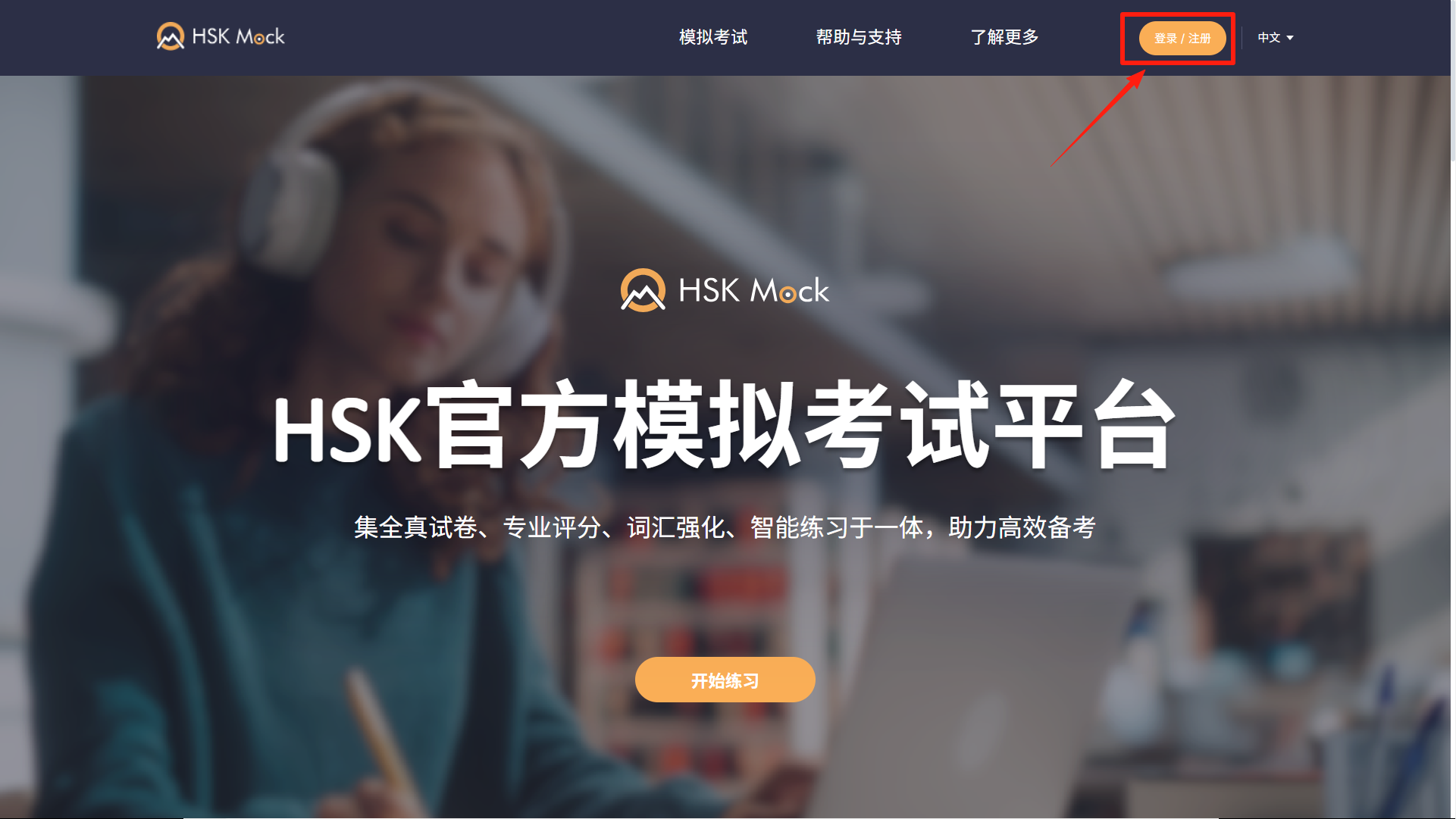
使用电脑浏览器,访问HSK Mock 网站,点击右上角的 登录/注册:
中国大陆以外用户请访问:hskmock.com
中国大陆用户请访问:hskmock.cn
推荐使用 Google Chrome 或 Safari 浏览器
两个都是HSK官方模拟考试平台,提供基于真实历年考试的高质量HSK模拟测试。
第2步
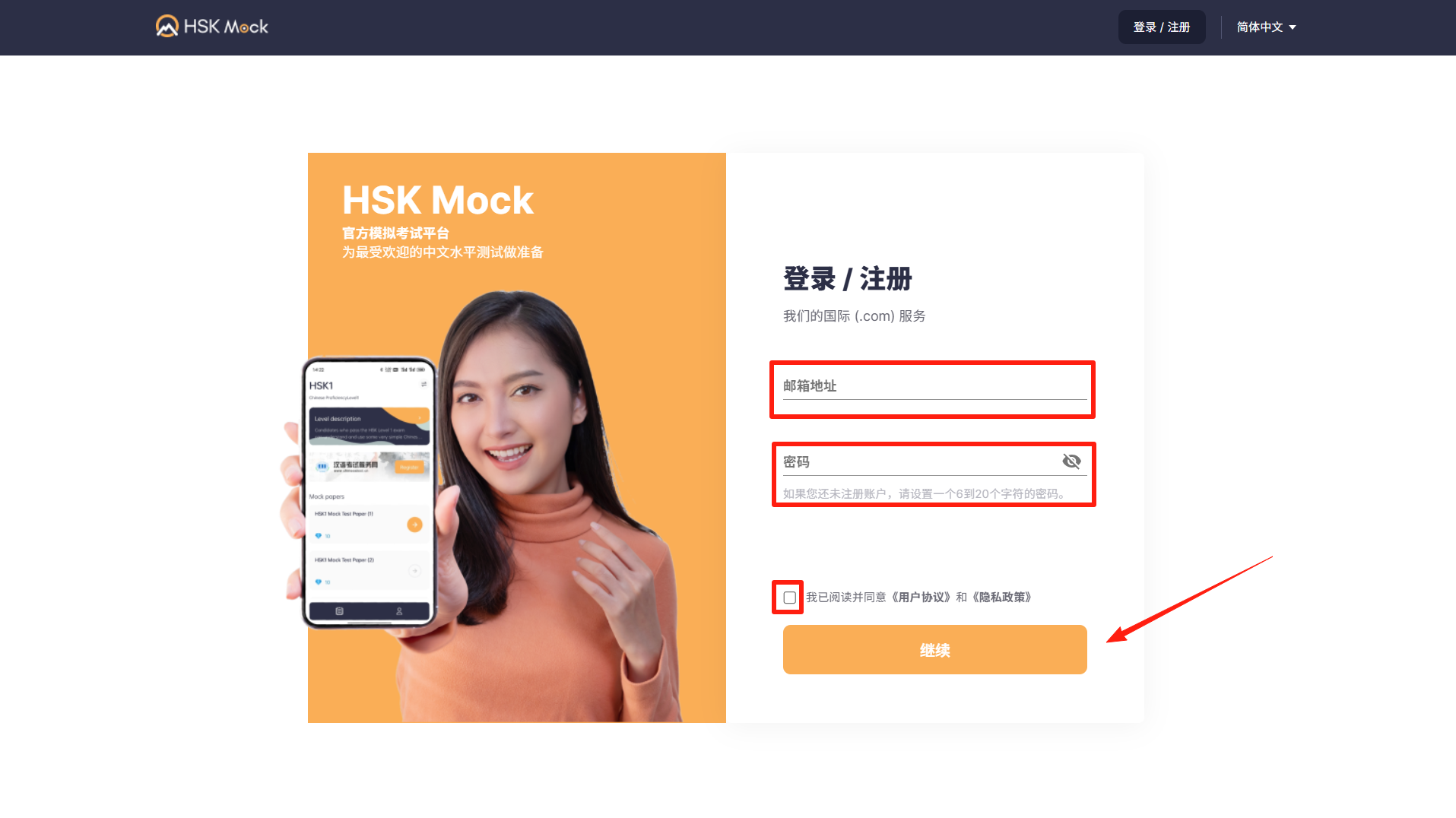
输入你的邮箱和 密码, 阅读并勾选 协议 ,然后点击继续
第3步
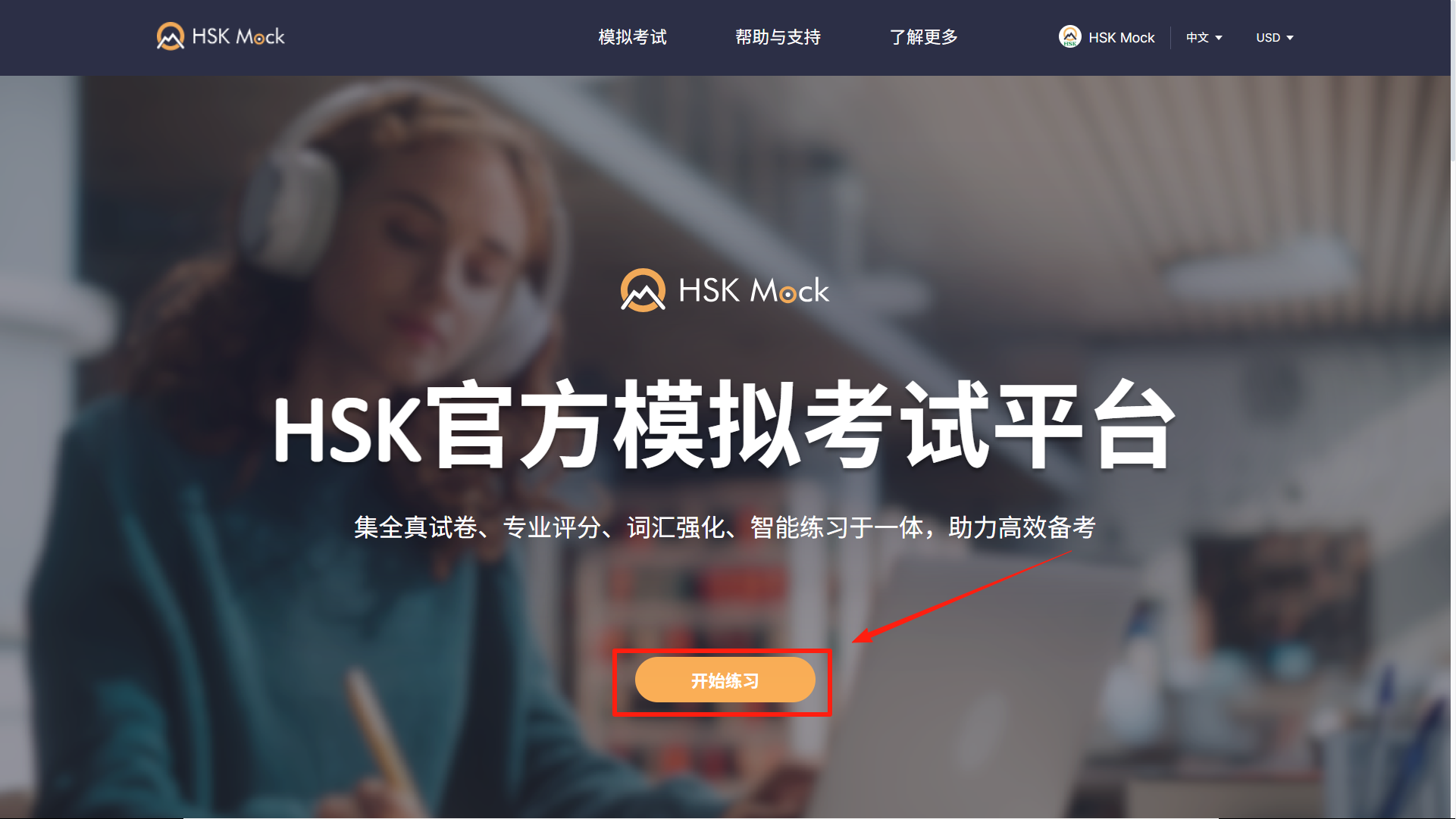
点击 开始练习
第4步
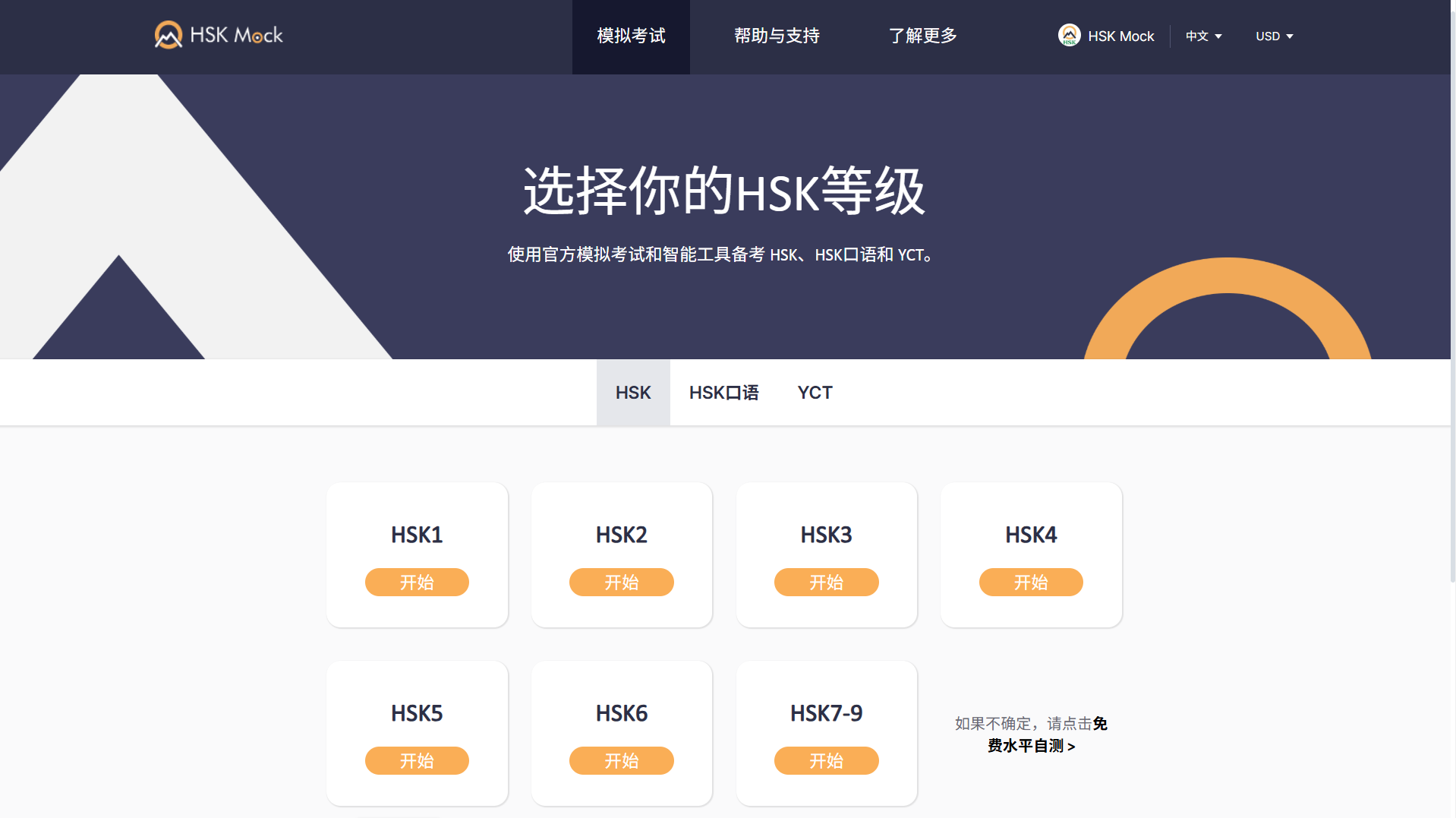
选择你将要考试的等级
Step 5
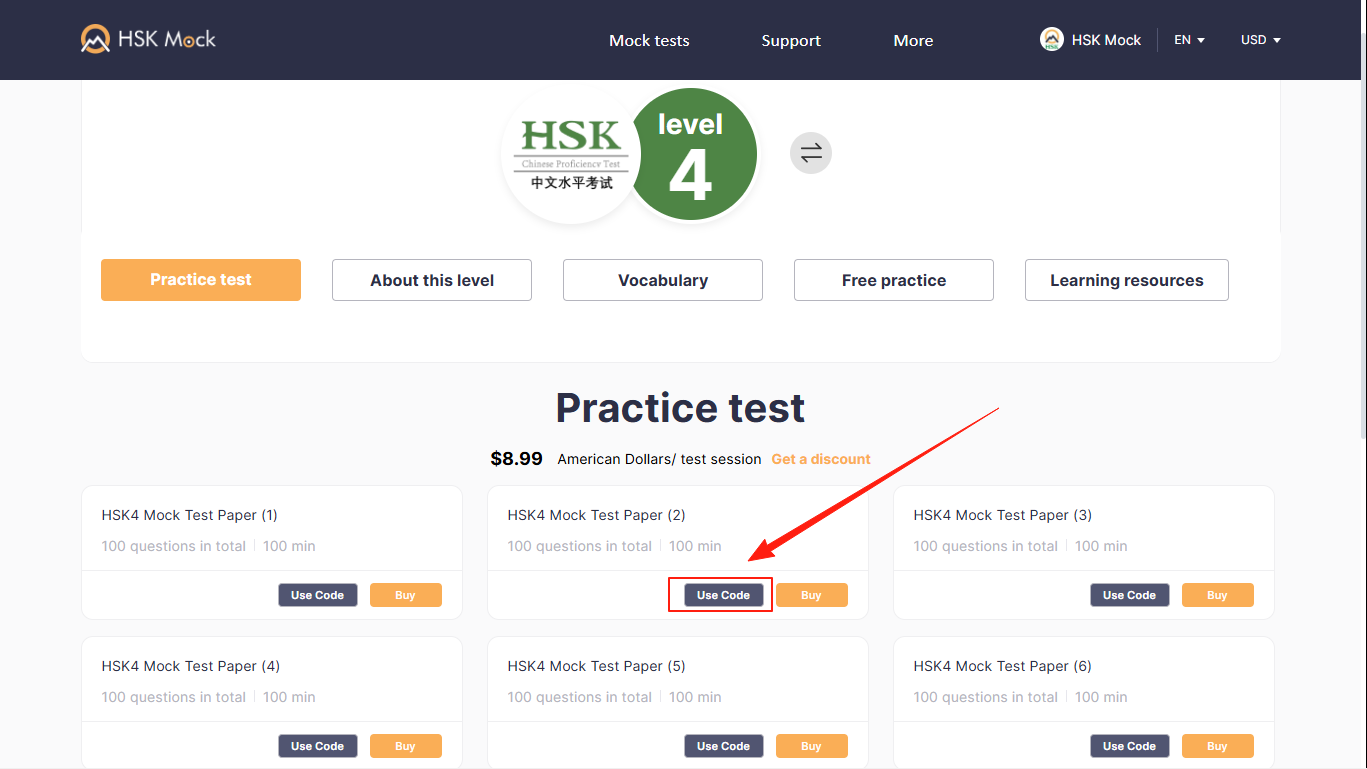
选择任意一份您想答题的试卷,点击 使用兑换码
Step 6
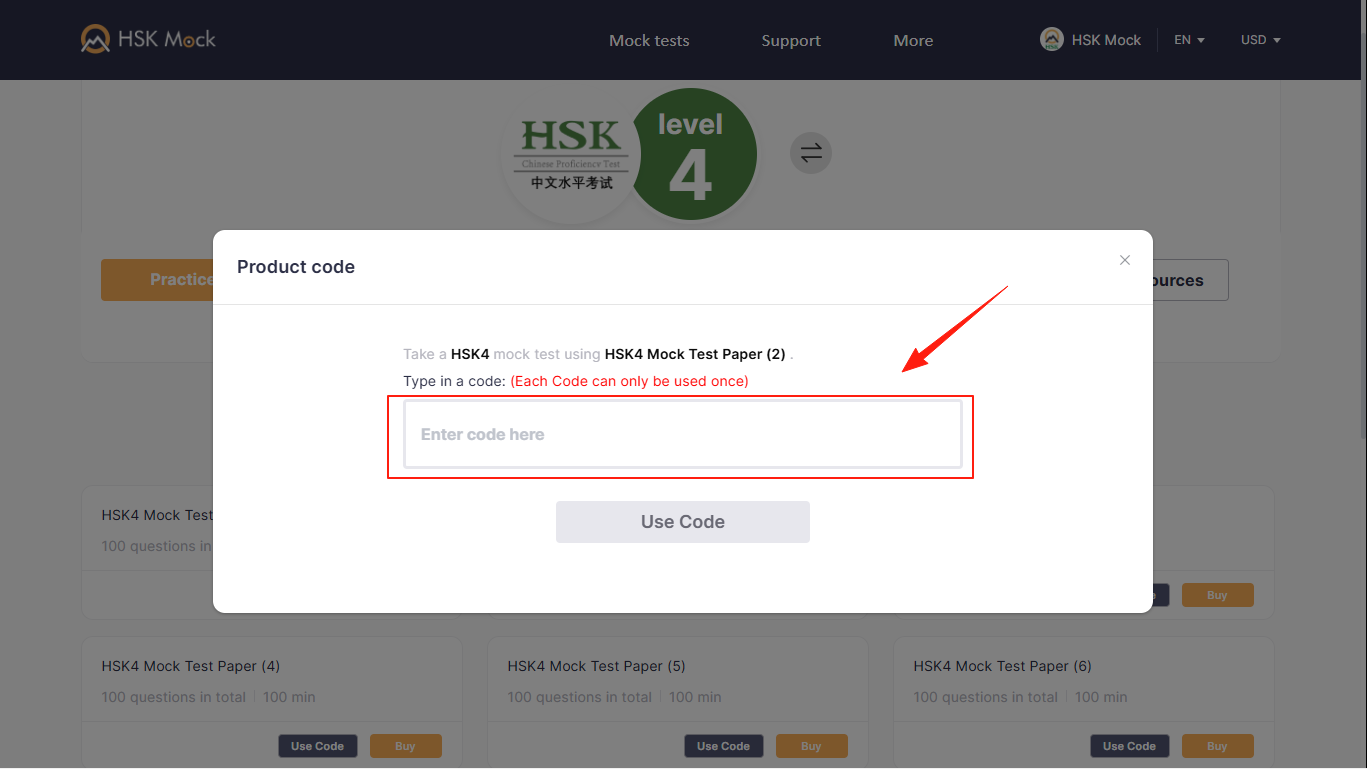
输入兑换码即可开始答题
2. For Mobile Phone/Tablet App
Download the App
Both platforms are official HSK preparation platform, offering the same high-quality HSK mock tests based on real past exams.
Our international platform for users outside China:
For users in mainland China, with local access and payment options:
Step 1
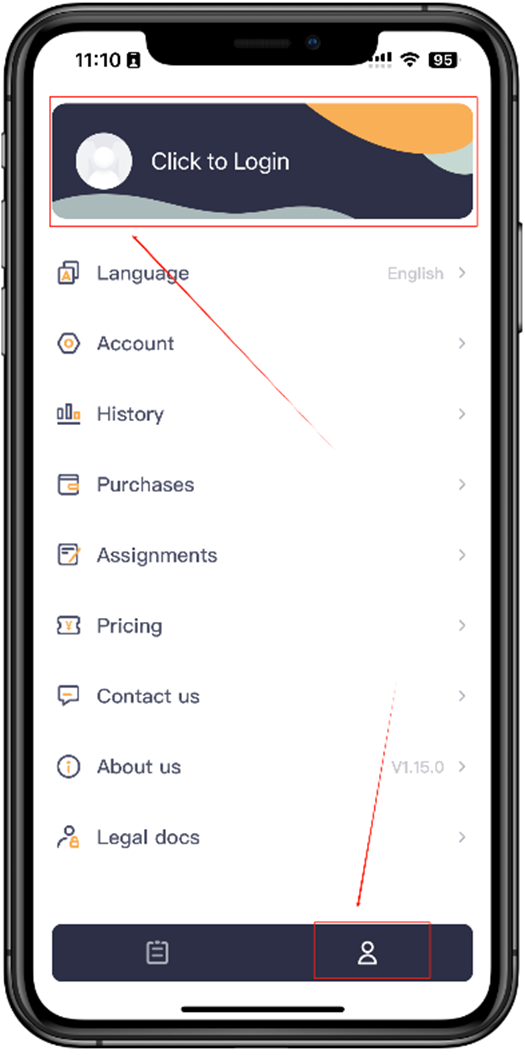
Click the human icon in the bottom right corner then click the Login at the top
Step 2
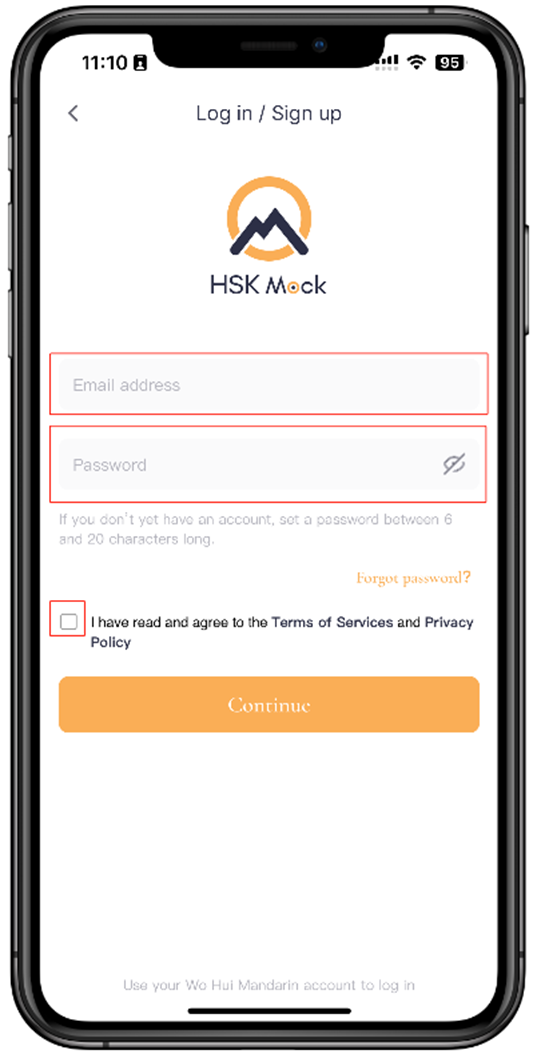
Enter your e-mail and password, check the terms and conditions and click Continue
Step 3
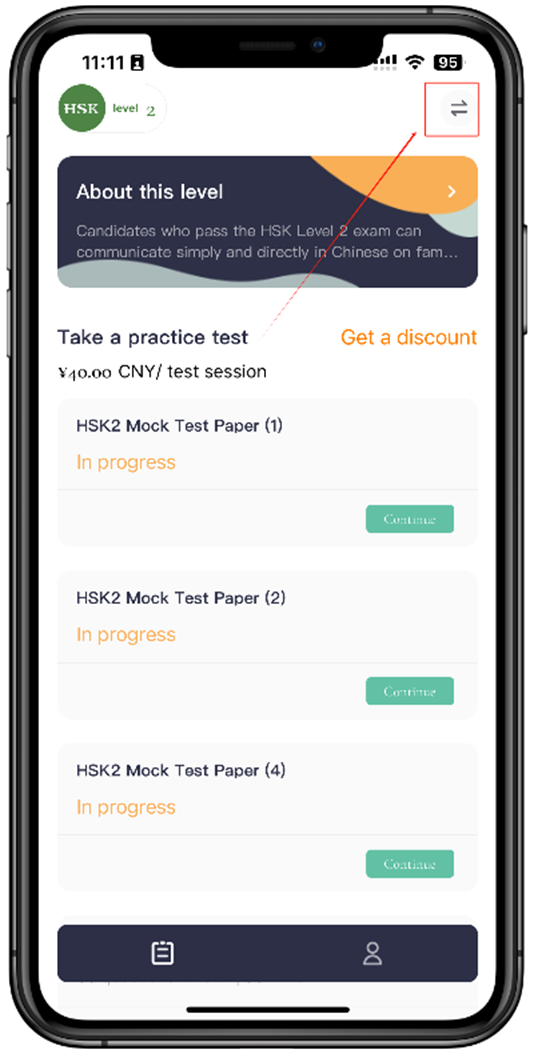
Click the level selection button in the top right corner.
Step 4
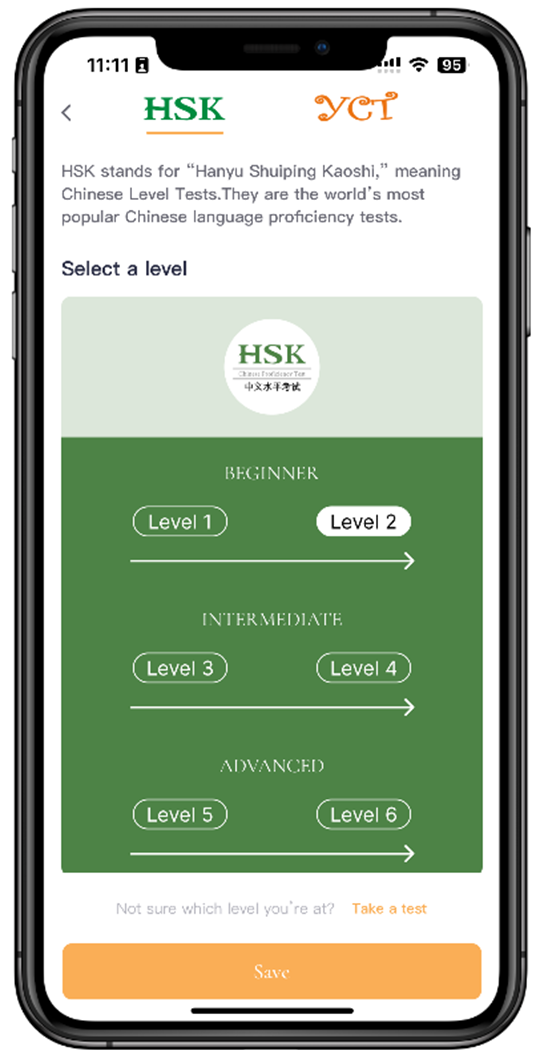
select the level you are enrolled in and Click Save
Step 5
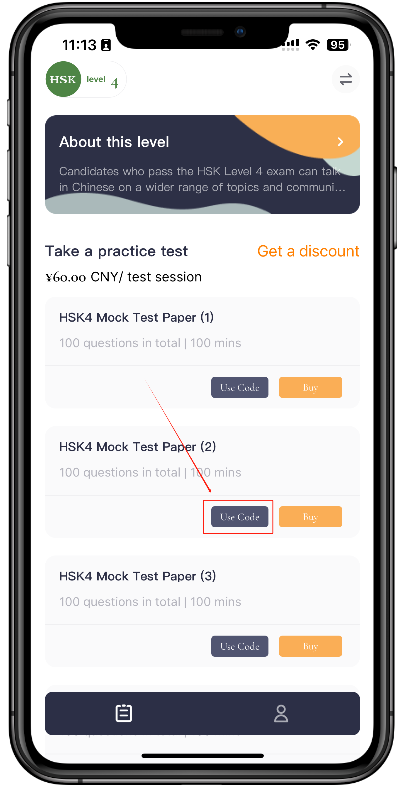
Select any paper you want to answer and click Use Code
Step 6
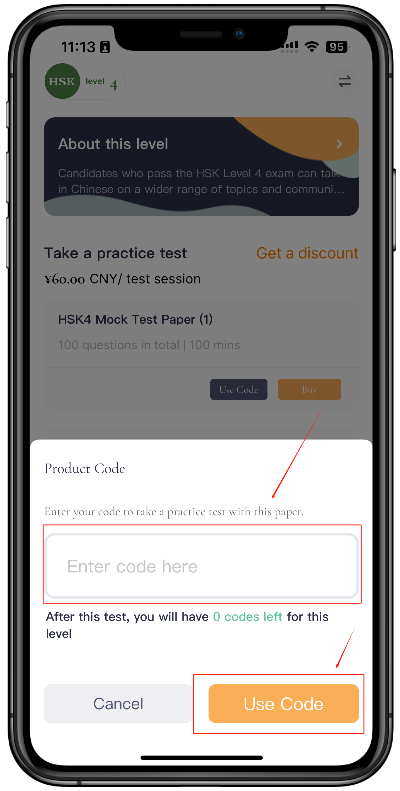
Enter Code and start answering.

